Snippets
Save text you use often and insert it instantly — by voice or from the omnibar.
Email signatures, links, addresses, boilerplate replies — anything you type repeatedly. Create a snippet once and use it everywhere.
What are Snippets?
A Snippet is a piece of saved text with a trigger word. When you say or type the trigger word, Ottex replaces it with the full snippet text.
| Trigger | Expands to |
|---|---|
| "linkedin" | https://linkedin.com/in/your-name |
| "intro email" | Hey! Would love to connect and chat... |
| "calendly link" | https://cal.com/your-name |
| "home address" | 123 Main St, Apt 4B, New York, NY 10001 |
Creating a Snippet
- Open Ottex and go to the Snippets section in the sidebar
- Click "+ Add Snippet" in the top right
- Enter a name for the snippet (this is also how you'll find it)
- Set a trigger word — the voice keyword that activates it
- Type or paste the text content that should be inserted
- Save the snippet
Screenshot: Create Snippet dialog with name, trigger word, and content fields
Using Snippets
By Voice
While dictating, just say the trigger word naturally. Ottex recognizes it and expands the full snippet text in place.
“send them my calendly link”
Via Omnibar
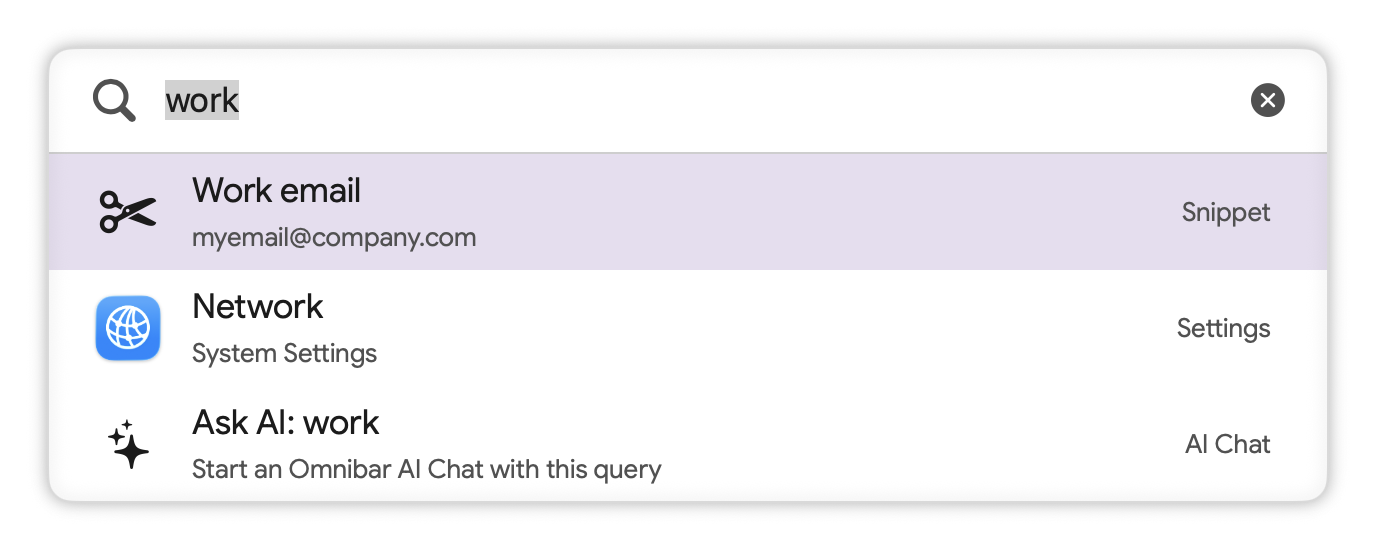
Open the Omnibar, start typing the snippet name, select it from the results, and the text is pasted into your current app.
AI Hints
Some snippets show an "AI Hint" badge. This means the snippet's trigger word is also sent as context to the AI model, helping it understand when you're trying to use the snippet vs. just saying a similar word.
Snippet Ideas
Contact Info
Email addresses, phone numbers, mailing addresses, social media links — anything people ask you for regularly.
Boilerplate Replies
Standard email responses, support templates, meeting follow-ups. Save time on messages you send over and over.
Code Templates
Console.log statements, import blocks, function boilerplate, SQL queries you run frequently.
Signatures & Closings
Email signatures, letter closings, invoice footers — text that needs to be exactly the same every time.